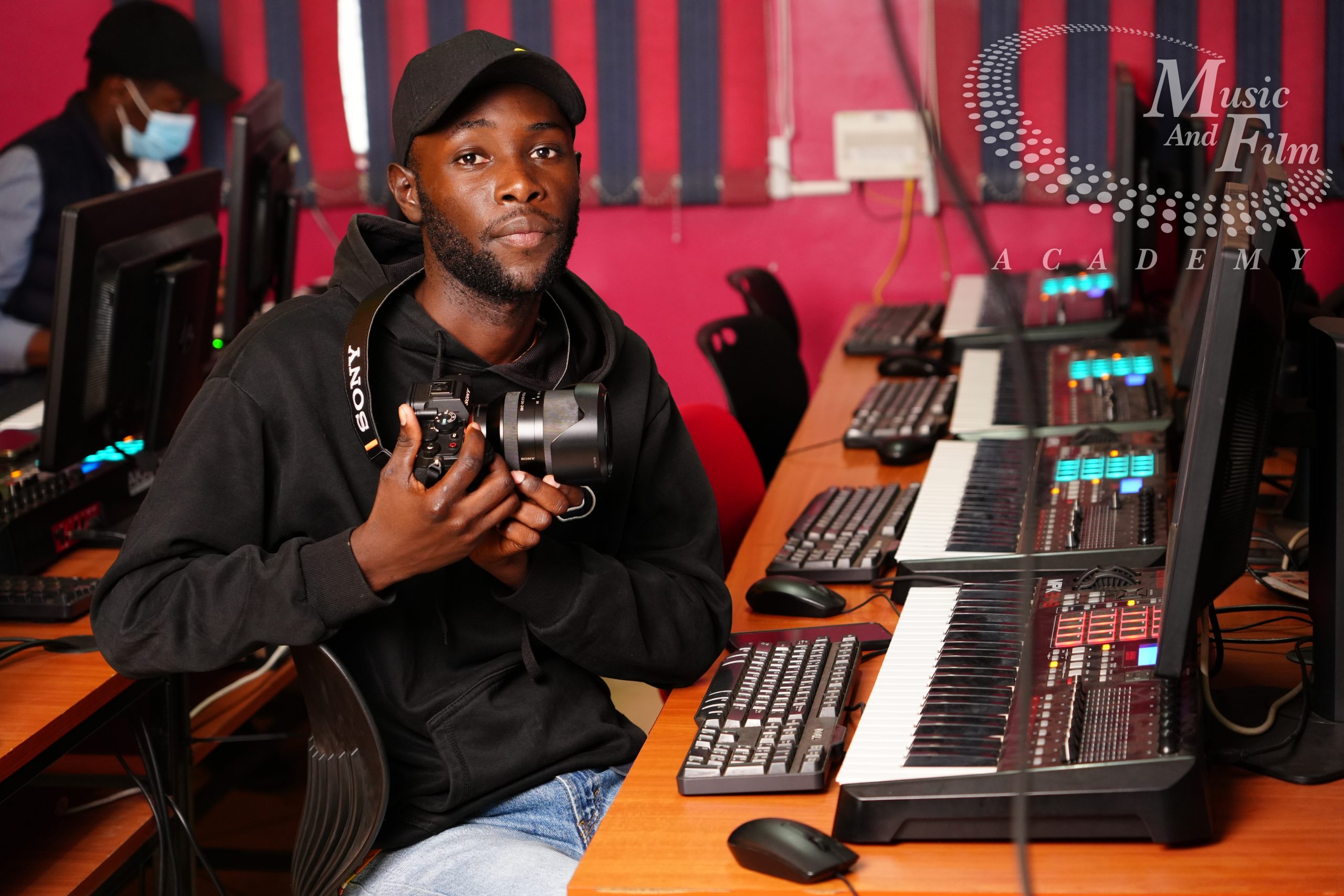
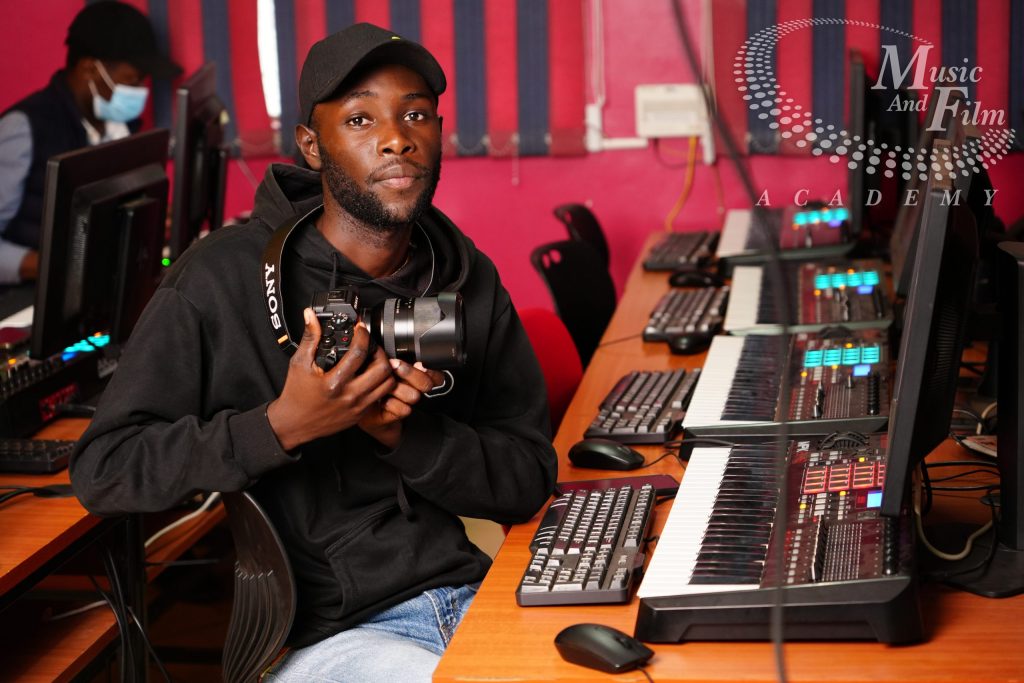
Hands-on training inside our dedicated editing bays at Information House, Nairobi CBD, featuring a strict 1:1 student-to-workstation ratio.
Basic Certificate in Video Editing
Are you ready to turn raw footage into compelling visual narratives and step into the fast-growing creative economy? The Basic Certificate in Video Editing at the Music and Film Academy is a practical, technically intensive program engineered specifically to transform beginners, aspiring content creators, and media enthusiasts into highly competent post-production professionals. Taught from our modern campus at Information House, Nairobi CBD, this foundational track demystifies the structural architecture of modern non-linear editing workspaces. Students gain complete manual mastery over high-performance post-production terminals, media ingestion pipelines, and structural pacing logic without relying on automated filters or guesswork.
The digital media landscape requires technical expertise and structured competence. Earning a Basic Certificate in Video Editing provides you with the industry-grade skills required to compile pristine video assets that stand out across broadcast and digital platforms. Operating under a strict 1:1 student-to-workstation ratio inside our specialized Nairobi media labs, you will spend your time cutting real-world footage rather than just viewing theory lectures. Whether your goal is to edit corporate documentaries, master vertical social media layouts, or launch a freelance media career, this course equips you with the technical fluency to handle any modern timeline.
Modern editing software is accessible, but true storytelling relies on an understanding of timing grammar, file mechanics, and cognitive pacing laws. A structured, hands-on program ensures you master the technical backend of digital files alongside the creative psychology of visual continuity.
By focusing on multi-camera synchronization, codec engineering, and dialogue restoration, you build a versatile skill set that can be instantly monetized. If you are researching broader creative pathways or advanced cinematic color grading options, you can explore our complete multi-tier directory of video editing courses to see how different modules line up with your professional goals. Our primary video editing courses in kenya hub page allows you to compare short boot camps against full academic specializations to tailor your journey perfectly.
📊 Program Overview & Fee Structure
This foundational track balances software training with technical file management to guarantee production readiness.
💡 Explore More Training Paths: Want to coordinate your timeline editing skills with technical camera operations? Browse our accredited video editing school modules alongside our comprehensive cinematography and videography frameworks to expand your creative portfolio.
🗺️ Fresh & Unique Curriculum Structure
Module 1: Media Ingestion, File Systems & Codec Engineering
This module focuses on the crucial technical backend of post-production, training students to establish clean project frameworks and manage digital media architectures securely.
Post-Production File Architecture: Establishing standardized multi-tier project directories across local solid-state storage arrays to guarantee zero broken media links. Mapping optimized scratch disk locations, media cache generation paths, and automatic background session vault backup timelines. Implementing uniform metadata naming protocols for raw video footages, external audio assets, graphic components, and script documents. Managing native hardware storage transfer rates and configuring high-speed data verification tools to prevent asset corruption. Organizing complex project bins with precise color-coding and icon hierarchies to optimize collaborative workflows inside editing rooms.
Compression & Codec Mechanics: Analyzing the deep engineering distinctions between common video containers (wrappers) and their underlying mathematical compression algorithms. Mastering high-efficiency delivery profiles including H.264 and H.265/HEVC configurations for optimal internet and web deployments. Managing intra-frame vs inter-frame codec behaviors when working across advanced edit-ready profiles like Apple ProRes and DNxHR. Evaluating bit-depth capacities (8-bit vs 10-bit color channels) and their critical impacts on overall rendering durability. Diagnosing conversion errors, dropped playback frames, and hardware processing lags caused by unsupported media wrappers.
Resolution and Framerate Management: Configuring custom project sequences matching native source camera properties from standard 1080p high-definition up to raw 4K acquisition. Mastering specific industry standard temporal frame rates (24fps cinematic, 25fps PAL broadcast, 30/60fps digital web streams). Interpreting spatial aspect ratios and converting traditional widescreen layouts into vertical platforms without losing key information. Executing pixel aspect ratio adjustments to entirely eliminate visual stretching or squeezing on non-standard video panels. Implementing advanced image interpolation algorithms like optical flow when changing clip speeds or managing frame mismatches.
Data Proxy Workflows: Generating lightweight, low-resolution editing proxies using dedicated background rendering platforms to facilitate seamless real-time playback. Setting up automated proxy attachment links within non-linear editing software to enable instant toggling between source and temporary files. Configuring matching audio channel layouts and timecode indices between primary ultra-high-resolution files and editing proxies. Managing offline editing strategies on portable laptop systems without needing constant access to heavy server arrays. Preparing clean timelines for seamless proxy detachment and automatic high-density conform transitions prior to final video exports.
Hands-on training inside our dedicated editing bays at Information House, Nairobi CBD, featuring a strict 1:1 student-to-workstation ratio.
Students move into the core art of montage, developing lightning-fast software habits and an understanding of the psychological impact of a cut.
The Nonlinear Editing Interface: Reconfiguring software interface layouts, panels, and toolbars into customized user workspaces optimized for lightning-fast assemblies. Mastering source monitor tracking controls including setting precise in/out points, skimming playheads, and previewing raw assets. Programming advanced custom keyboard shortcuts to reduce manual mouse clicks and accelerate timeline editing processes. Utilizing programmatic timeline track targeting selectors to orchestrate exact asset distribution without messing up layer structures. Configuring custom multi-window playback monitors to simultaneously review source layers, current sequences, and audio meters.
Foundational Cutting Geometry: Mastering precise three-point editing principles using source markers and timeline insert paths to drop footage accurately. Executing advanced timeline manipulation commands including ripple deletes, multi-track extractions, lift mechanics, and blade tools. Utilizing track lock parameters and sync locks to shield completed timeline layers from unintended shifting during major structural rearrangements. Implementing clean visual nesting architectures to consolidate complex multi-layered clip stacks into clean, manageable sequence blocks. Applying standard track transitions including linear cross-dissolves, dip-to-black fades, and constant power audio crossfades professionally.
The Psychology of the Cut: Structuring organic dialogue momentum by executing precise J-cuts where the incoming audio precedes the corresponding visual shift. Crafting fluid conversational pacing by applying L-cuts where the current audio overlaps past the visual edit boundary point. Using aggressive smash cuts to trigger intense psychological shifts between diametrically opposed narrative scenes or sonic states. Deploying clever match cuts using shared graphic lines, shapes, or kinetic motions to gracefully connect distinct locations. Designing invisible edits by masking cuts inside natural frame obstructions or rapid whip-pan camera movements.
Pacing and Temporal Control: Analyzing underlying emotional rhythms within raw scenes to isolate exact moments where a clip should breathe or cut away. Trimming dead visual handles and unnecessary empty pauses from actors’ lines to tighten conversational delivery. Applying frame timing tools including constant speed remapping, fast-motion jumps, and slow-motion extensions to warp clip velocity. Maintaining narrative continuity by tracking the direction of character looks and physical object paths across successive cuts. Using freeze-frames and reverse motion adjustments strategically to accentuate key highlights or technical milestones within media spots.
This section details how to organize and edit multi-camera productions such as concerts, events, and interviews while preserving strict spatial alignment.
Multi-Camera Waveform Matching: Ingesting multiple source angles alongside external digital audio recorder tracks into unified multi-cam project folders. Analyzing acoustic profiles across separate camera channels to execute automated multi-camera waveform alignment sweeps. Setting manual synchronization markers using physical slate claps or distinct visual flashes when audio waveforms are unavailable. Verifying absolute synchronization across all tracking layers to eliminate irritating echo loops or lip-sync drift errors. Managing complex multi-source channel mappings to ensure all audio inputs are routed cleanly to independent control tracks.
Real-Time Multi-Cam Switching: Activating specialized multi-cam viewing monitors to monitor multiple simultaneous camera perspectives inside a single viewport. Executing real-time live video switching passes across multi-angle panel interviews, corporate events, and music videos. Refining raw multi-cam cuts using timeline ripple tools to adjust specific cut boundaries after a live switching pass. Swapping out specific camera angles within a multi-cam clip manually to capture better performer reactions or cleaner framing. Collapsing completed multi-cam layers into clean, single-track video chains to simplify final color grading and rendering.
The Spatial 180-Degree Continuity Rule: Mapping the imaginary physical vector line between interacting subjects on a set to guide camera angle selection choices. Evaluating raw footage setups to ensure successive edits stay firmly on one side of the 180-degree axis line. Implementing cutaway assets or transitional camera motions to gracefully cross the physical axis line without jarring the viewer. Correcting accidental axis breaks by applying horizontal image flips to maintain consistent screen direction paths. Preserving logical spatial relationships across fast-paced dialogue blocks, ensuring characters appear to be looking at each other.
Long-Form Continuity Management: Maintaining smooth pacing across long-form projects including multi-hour corporate seminars, stage plays, and church events. Inserting appropriate close-up cutaways and crowd reaction shots to mask long gaps or boring sections in master footage. Normalizing visual progression arcs across varied presentation segments to prevent sudden leaps in narrative pacing. Structuring consistent chapter indicators, lower-third graphics, and visual signposts to keep viewers engaged throughout extended programs. Balancing macro-level narrative structure against micro-level frame edits to ensure the long-form project flows seamlessly.
Students step past basic cutting to master fundamental sound design, clean audio cleanup, and acoustic level balancing pipelines.
The Audio Timeline Workspace: Configuring custom multi-channel audio timelines to cleanly separate vocal tracks, ambient environments, sound effects, and music. Managing distinct technical routing profiles for native monaural voice microphone files vs wide stereophonic music beds. Synchronizing varying external sample rates (44.1kHz music formats vs 48kHz standard broadcast video formats) to eliminate playback clicks. Utilizing track voiceover tools to record scratch commentary paths directly into the software sequence timeline. Customizing track mixer panels to control real-time panning positions and volume fader levels across individual audio streams.
Dialogue Leveling Essentials: Adjusting channel input gains to normalize raw voice tracks up to standardized target digital operational headrooms. Analyzing audio track meters to keep peak levels safely under clipping points while boosting quiet conversational bits. Balancing multi-microphone dialogue tracks to ensure consistent vocal weight and presence between different speakers. Automating volume envelopes using precise timeline keyframes to smoothly ride out erratic vocal spikes. Utilizing basic multi-channel level matching tools to establish a solid sonic baseline before adding any external processing filters.
Acoustic Noise Reduction: Applying integrated high-pass filters to filter out low-frequency microphone handling thumps, air conditioner rumbles, and wind noise. Deploying specialized spectral denoiser modules to target and suppress steady background hiss, hum, and digital equipment whine. Tuning basic noise gate parameters to automatically silence open microphone lines during quiet pauses between spoken lines. Utilizing parametric equalizers to target and cut annoying room resonances or boxy frequencies that degrade speech clarity. Implementing simple audio expansions to expand the dynamic gap between principal dialogue signals and background room noise.
Basic Music and Voice-Over Ducking: Mapping volume keyframe pathways across music beds to lower background music volumes beneath active dialogue lines. Configuring automatic audio ducking algorithms to dynamically lower background tracks using dialogue audio triggers. Tailoring music fade-out curves at the tail end of video spots to achieve smooth, natural endings without sudden cuts. Editing instrumental music loops using seamless cuts to match the exact duration of a visual edit sequence. Balancing overall music presence to keep backing tracks energetic during visual-only blocks while protecting dialogue clarity during speech.
Module 5: Media Output Profiles & Broadcast Wrapper Compilations
The closing module deals with compliance, rendering optimizations, and embedding technical metadata strings tailored for varying distribution channels.
Digital Distribution Standards: Navigating software export modules to compile finalized projects into optimized, high-quality digital video assets. Adjusting target bit-rate encoding limits (VBR multi-pass systems) to balance visual fidelity against file sizes. Exporting optimized video files tailored to the specific technical delivery rules of YouTube, TikTok, and social spaces. Analyzing compressed test renders to ensure gradients remain smooth and no blocky artifacts are introduced by encoding. Preserving critical color profiles during export to guarantee videos look consistent across various consumer phone and computer screens.
Pre-Roll Formatting & Aspect Ratios: Re-framing traditional widescreen 16:9 timelines into specialized vertical 9:16 aspect ratios for modern mobile apps. Utilizing automated object-tracking tools to keep central subjects framed properly inside vertical display frames. Designing custom split-screen layouts to blend multiple widescreen elements inside a unified vertical display container. Injecting standard broadcast pre-roll elements including bars, tone signals, countdown slates, and black headers onto master outputs. Formatting clean safe-zone margins on screen overlays to prevent text from being covered by app buttons or user icons.
Technical Metadata Embedding: Injecting structural copyright data, creator credentials, and ownership identifiers directly into final video file containers. Embedding rich descriptive keyword tags, video titles, and index summaries into file metadata to boost search engine discoverability. Configuring custom chapter markers inside video metadata to enable automated navigation points on modern streaming websites. Verifying file header tags to guarantee media players display correct aspect ratios and pixel dimensions on playback. Exporting organized edit decision lists (EDL) and XML metadata files to facilitate seamless project archiving and multi-system migration.
💼 Career Paths & Industry Opportunities
Graduating with a Basic Certificate in Video Editing equips you with competitive, hands-on skill sets that are essential across contemporary production sets and marketing departments:
1. Digital Video Editor
The Role: Cutting, structuring, and polishing digital video projects for creative agencies, brands, and broadcast teams. You will organize ingestion channels, manage sync arrays, and build temporal continuity across narratives.
Primary Industries: Film production companies, independent YouTube networks, and marketing agencies.
2. Social Media Content Editor (TikTok / Reels)
The Role: Optimizing and re-framing standard footage into energetic, short-form vertical assets. You will utilize custom split-screens, apply structural pacing cuts, and balance audio ducking pathways to drive digital platform engagement.
Primary Industries: E-commerce startups, digital advertising agencies, and lifestyle brand houses.
3. Digital Media Production Assistant
The Role: Supporting post-production teams by handling media ingestion protocols, configuring data proxy linkages, and organizing project metadata tags to accelerate timeline turnarounds.
Primary Industries: Broadcast television houses, commercial production units, and corporate communication wings.
4. Audio-Visual (A/V) Operations Assistant
The Role: Managing audio-visual playback tracks, running real-time multi-cam switches for events, and organizing clean digital archives for ongoing reference.
Primary Industries: Institutional event management centers, non-profit media teams, and live streaming services.
📋 Course Eligibility & Admission Thresholds
To secure an editing bay for the upcoming intake, candidates must fulfill the following entry benchmarks:
1. Academic Thresholds
KCSE Direct Entry: Open to any applicant with a minimum mean grade of D- (Minus) or D (Plain) and above in the Kenya Certificate of Secondary Education (KCSE).
Alternative General Paths: Candidates holding a Kenya Certificate of Primary Education (KCPE) combined with a demonstrable interest or background in digital arts can apply through our foundational literacy pathway.
Prior Certificates: Holders of any basic certificate from a recognized youth polytechnic or technical vocational village polytechnic are highly eligible.
2. Technical Equipment & Digital Aptitude
Basic Computer Literacy: Trainees must know how to interact with modern desktop operating systems, including opening programs, managing system folders, copying assets, and executing simple keyboard shortcuts.
On-Campus Rig Allocation: While the academy provides high-performance post-production terminals for use during regular lesson blocks, students are highly encouraged to own a personal laptop or storage drive to facilitate off-site project exercises and assignments.
Visual Acuity: Normal or corrected vision is essential to monitor pacing adjustments, timeline layers, and interface workspaces properly.
3. Essential Registration Checklist
Applicants must present the following documentation to the administrative desk at Information House, Nairobi CBD, to secure an available editing slot:
A fully filled Music And Film Academy Application Form.
Copies of academic result slips or certificates (KCSE/KCPE).
A copy of the applicant’s National ID card or birth certificate.
Two clear passport-sized color photographs.
An official receipt confirming payment of the initial registration or tuition installment fees.
⚠️ Intake Advisory: Because our dedicated editing bays operate on a strict 1:1 student-to-workstation ratio to avoid overcrowding and ensure intense hands-on mastery, admissions are allocated strictly on a first-come, first-served basis.
❓ Frequently Asked Questions
Which non-linear editing software options will I learn in this course?
This foundational track focuses on industry-standard platforms. You will master interface configuration, workflow pipelines, timeline grammar, and final rendering tools across both Adobe Premiere Pro and DaVinci Resolve.
What is a 1:1 student-to-workstation ratio?
It means you will never have to share an editing rig during your practical hours. Every student is allocated their own high-performance post-production terminal for the entire length of their lab session to maximize direct, hands-on learning.
Is there a strict KCSE grade requirement to join?
No. Our Basic Certificate in Video Editing prioritizes digital literacy and creative passion over high academic grades. We accept direct entry with a KCSE mean grade of D- or through alternative foundational interest paths.