Phone:
+254 719 428 550
Physical address:
Information House, Hakati Road,
Nairobi, Kenya.

Phone:
+254 719 428 550
Physical address:
Information House, Hakati Road,
Nairobi, Kenya.
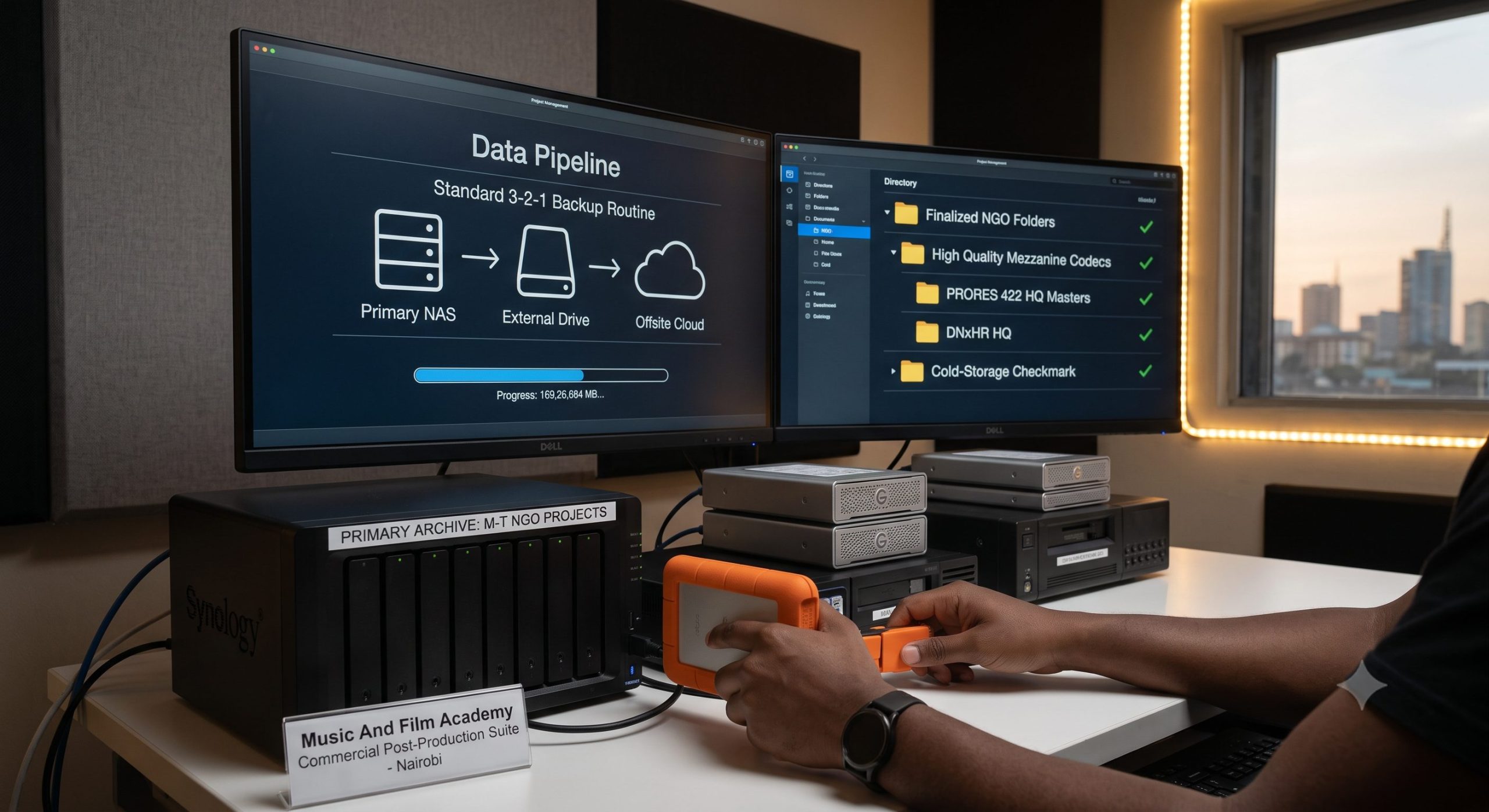
Securing a high-value video contract with an international non-governmental organization (NGO) or a multinational corporate brand based in Nairobi is a massive milestone for any independent freelance editor or post-production studio. These elite clients offer some of the most financially lucrative opportunities in East Africa’s creative economy. However, stepping up to this professional level introduces a massive technical bottleneck that catches many local creators off guard: data management. High-end productions shooting in 4K or 6K raw formats generate an enormous volume of footage. Between multiple interview takes, massive b-roll libraries, high-fidelity audio tracks, and complex project project versions, successfully managing multi-terabyte NGO client projects requires a bulletproof technical strategy to keep your storage running efficiently and protect your media assets from data loss.
Many independent editors across Kenya manage files using an unorganized array of loose external hard drives scattered across a desk in a Nairobi apartment. This casual approach is an accident waiting to happen. An unexpected power surge along Waiyaki Way, a corrupted partition on a cheap drive purchased downtown, or accidentally deleting a folder can instantly destroy weeks of commercial work, permanently damaging your brand’s professional reputation. To work with global agencies, your data management pipeline must match international studio standards. This comprehensive guide breaks down the precise data pipelines, hardware setup configurations, cold-storage rules, and master file exporting standards needed to manage high-volume media projects safely and efficiently.
The foundation of successfully managing multi-terabyte NGO client projects begins the moment the physical camera cards are handed over to your post-production desk. If you simply drag and drop raw files onto a hard drive without a strict structural template, you will waste hours searching for missing clips or relinking offline files inside your editing software later on.
[Production Master Folder]
   ├── 01_FOOTAGE ──► [Cam_A_Day1] / [Cam_B_Day1]
   ├── 02_AUDIO   ──► [Field_Rec] / [Voiceover]
   ├── 03_PROJECTS──► [Premiere]  / [Resolve]
   ├── 04_ASSETS  ──► [Graphics]  / [Music]
   └── 05_EXPORTS ──► [Review]    / [Masters]
Before you import a single video clip into your software timeline, create a master root project folder on your fastest storage drive. Use a clear, consistent naming convention that includes the project date and client name (e.g., 2026_07_UN_Agribusiness_Documentary). Inside this master root folder, build a highly disciplined directory tree that remains completely identical for every corporate project you edit:
Day_01/Cam_A_SonyFX6, Day_01/Cam_B_A7IV). Never rename the raw clip files generated by the camera, as doing so can break your metadata structure and cause relinking errors in post-production..prproj files or DaVinci Resolve project archives) inside this folder.Review_Drafts) and your finalized high-quality master files (Final_Masters).Never use standard copy-and-paste commands within Windows Explorer or Mac Finder when moving multi-terabyte files off your production camera cards. If your computer encounters a brief system stutter or a minor power dip during a copy command, it can leave behind corrupted bits of data that ruin your video files without displaying an immediate error message.
Professional post-production data managers use specialized data transfer software like ShotPut Pro or Silverstack to copy camera files. If you are operating on a tighter budget, you can use the built-in clone tool inside the media page of DaVinci Resolve. These advanced tools use an MD5 checksum mathematical verification process. The software reads the exact bit-level size of the source file on the camera card, calculates a unique digital signature, copies the data, and verifies that the destination file matches the source perfectly. This process gives you complete confidence that your high-value production footage has been transferred safely before the camera cards are cleared and reused for the next shoot day.
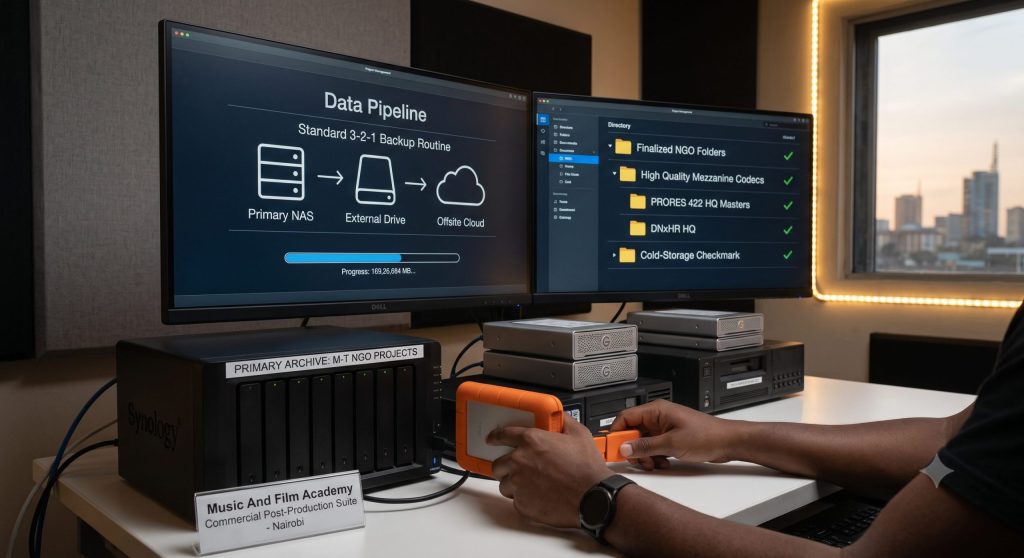
When managing multi-terabyte NGO client projects for international organizations, you cannot simply hope for the best with your storage setup. You must assume your primary drive will fail at some point, and build a highly redundant storage infrastructure that keeps your work completely protected. The industry standard for data protection across global media landscapes is the 3-2-1 Backup Rule.
[Active Working Drive: NVMe SSD]
       │
       ├──► (Copy 1) ──► [On-Site Storage: Heavy Duty RAID Array]
       │
       └──► (Copy 2) ──► [Off-Site Storage: Secondary Drive / Safe Location]
To implement this strategy effectively in your local production workflow, break the rule down into three clear, practical requirements:
| Storage Architecture Tier | Hardware Type | Target Speed Profile | Primary Operational Role |
| Active Working Drive | External NVMe USB-C SSD | 1050 MB/s – 2000 MB/s | Holds active project files, scratch disks, and proxy caches for real-time timeline editing. |
| On-Site Storage Array | 4-Bay Mechanical RAID 5 | 400 MB/s – 600 MB/s | Acts as your primary on-site system backup, providing data safety if an individual drive fails. |
| Off-Site Storage Layer | Rugged Portable HDD / Cloud | 130 MB/s – 150 MB/s | Kept completely away from your main workspace to protect your data from local physical emergencies. |
💡 The Academy Edge: Managing complex data pipelines can be intimidating when handling high-value client projects. Our industry-focused Video Editing Courses in Kenya turn your rendering headaches into efficient workflows by granting you unlimited, hands-on access to our high-spec campus editing labs, so you can build professional projects without hardware limits.
When you finalize your editing timeline and prepare your project for delivery to an NGO client, you must choose your export settings like a broadcast professional. A common mistake made by local self-taught editors is exporting their final project cut straight into a highly compressed H.264 or H.265 MP4 format, and using that file as their long-term project master archive.
H.264 is an excellent, lightweight delivery standard designed to compress video files for smooth streaming on platforms like YouTube or Facebook. However, it is a highly compressed format that strips away massive amounts of color data and fine image details to keep file sizes small. If an NGO client contacts you a year down the road asking to update their project—perhaps to adjust a lower-third title or extract a clean b-roll clip for a new campaign—re-editing and re-exporting an already compressed H.264 file will cause noticeable generation loss, leaving your video looking soft, blocky, and unprofesional.
Professional post-production pipelines rely on high-quality Mezzanine Codecs (also known as intermediate or production codecs) to create their final archive master files. These codecs store video data frame-by-frame with minimal compression, preserving your full color depth and image detail perfectly.
[Editing Timeline] ──► Export High-Quality Mezzanine Master (ProRes 422 HQ / DNxHR) ──► Long-Term Storage
                                      │
                                      └──► Compress Lightweight Copies (H.264 MP4) ──► YouTube / Client WhatsApp
While exporting a 10-minute documentary using a mezzanine codec can generate a large 15GB file compared to a small 800MB H.264 MP4 file, keeping this uncompressed master file secure ensures your work remains future-proof. You can generate lightweight H.264 or web-ready copies from this clean master file anytime without quality loss.
💡 The Academy Edge: Ready to move past basic video cuts and master advanced data workflows, complex color workflows, and industry-standard delivery platforms? Take your post-production career to the highest level by exploring our comprehensive Basic Certificate in Video Editing Course modules at the Music And Film Academy.
Once an NGO project is fully completed, approved, and paid for, you cannot leave multi-terabyte directories sitting on your expensive, high-speed active working SSDs indefinitely. You need to clear up your fast workspace drives for your next incoming commercial client while ensuring the completed project remains archived securely for the long term. This transition is managed using a structured Cold-Storage Workflow.
Before moving your project directory into long-term storage, take a few minutes to clean out unnecessary files to save valuable hard drive space:
Transfer your cleaned project folder over to dedicated, high-capacity external mechanical hard drives (such as Western Digital Elements or Seagate Expansion desktop drives).
ARC_2026_01A and ARC_2026_01B). [COLD-STORAGE SAFETY PROTOCOLS]
│
┌───────────────────────┴───────────────────────┐
▼ ▼
[Purge Cache Files] [Dual Hard Drive Copy]
│ │
Deletes temporary render data Saves two identical copies onto
to save storage space labeled, anti-static desktop drives
For high-value commercial projects, consider pairing your physical backup drives with a cloud-based storage tier to ensure absolute safety. Avoid using standard consumer options like Google Drive or Dropbox for storing massive multi-terabyte files, as they can become expensive and slow to manage at scale. Instead, explore professional enterprise options like Amazon S3 Glacier or Backblaze B2. These specialized services allow you to store massive archives securely for just a few dollars per terabyte each month, giving you a highly affordable off-site backup layer.
💡 The Academy Edge: Learning to manage large-scale video projects cleanly is a vital skill for anyone looking to build a sustainable commercial business. If you are an experienced creator ready to step up and lead large production teams, master multi-camera cinematography, and manage complex studio projects, explore our elite Advanced Certificate in Videography Course track.
Maintaining a highly organized, professional asset archive is one of the most effective ways to build lasting trust with premium corporate and NGO clients, helping you stand out from amateur creators.
International organizations frequently work with rotating teams of communications managers and country directors. It is surprisingly common for an agency to lose track of their own media files due to changing staff or broken office drives. Imagine a client contacting you in a panic, stating: “We lost our final video files from the campaign we shot with you last year. Do you still have a copy?”
An amateur editor might reply: “Sorry, I ran out of hard drive space and deleted that folder months ago.” This response cuts off any chance of future work with that client. A professional editor trained at the Music And Film Academy will check their project logs, locate the project code on their labeled cold-storage drives, and reply within an hour: “Yes, your project is safely archived in our system. Here is a secure link to download your high-quality ProRes master files and compressed web copies.” This exceptional level of reliability transforms you from a simple freelancer into an invaluable media partner, ensuring you remain their first choice for every upcoming production contract.
[Client Contact: "We lost our files!"] ──► [Professional Editor: Checks Archive Log] ──► [Restores ProRes Master via Cold Storage] ──► [Secures Long-Term Business Trust]
To protect your business relationships and ensure complete clarity from day one, always outline your exact file storage terms directly within your initial creative services contract. State clearly that your studio will maintain full project backups for a set period—such as one or two years following completion—free of charge. This professional boundary protects you from open-ended liability while demonstrating your commitment to corporate-grade asset care. For master contract templates, creative rights guidelines, and international standard business terms used across commercial media platforms, consult the business resources maintained by the International Council on Archives (ICA).
Mastering the technical pipelines required for managing multi-terabyte NGO client projects is an essential milestone that elevates your post-production career. By building disciplined folder structures, using MD5 checksum tools during ingest, implementing the 3-2-1 backup rule with secure RAID arrays, exporting uncompressed mezzanine master files, and maintaining clear cold-storage workflows, you protect your business from data loss and show corporate brands that your workflow meets global standards.
True professional excellence is built through hands-on practice using premium hardware setups under the guidance of active industry experts. At the Music And Film Academy, we believe your creative development shouldn’t be limited by personal hardware budgets. Our modern campus labs in Nairobi provide our students with unlimited access to high-spec iMac and Windows workstations, high-speed storage servers, and industry-standard post-production suites. Stop wrestling with slow systems and unorganized hard drives alone in the dark. Take control of your creative future, upgrade your technical production skills, and join a collaborative network of professionals by enrolling at our Nairobi campus today.